

Less noise. More confidence in Azure SQL.

Know what's at risk, what it's costing, and what to do next. For lean IT teams running Azure SQL without a database expert.

Read-only access. No changes are made to your databases.

Microsoft ISV Success partner · Microsoft for Startups member · Built on Azure best practices

IT professional reviewing a database assessment on a tabletDATABASE CONFIDENCE ASSESSMENTRecruiting database63/100Fair, worth attentionIn good shape overall, with one cost itemand four routine items to review.You're paying about $380 a month more than you need to.Nothing is broken.$380/mocould be saved5items to review0urgent risks

Every IT manager knows this feeling.

The tools are all in place. The clarity isn't.

"Am I missing something?"

You already have monitoring.

You already have dashboards.

You already have alerts.

Knowing what deserves your attention is the hard part.

Why more alerts didn't help

After years of helping teams recover from production incidents, we noticed something.

Monitoring wasn't the problem.

Uncertainty was.

We help IT teams cut through the noise and act before issues reach the business. Here's how, in 90 seconds.

Your first step

Start with a Database Confidence Assessment

The first step is knowing where you stand. The assessment gives you:

63

Database Confidence Score

Prioritized Risks

Practical Recommendations

Clear Next Steps

Start My Assessment

Database Confidence in Action

From reactive to proactive

An executive recruiting firm had dashboards, alerts and monitoring, and still couldn't tell what deserved attention first.

The assessment set a baseline of 63 out of 100, found five items and no urgent risks, and identified $380 a month of overspend before anyone noticed a problem.
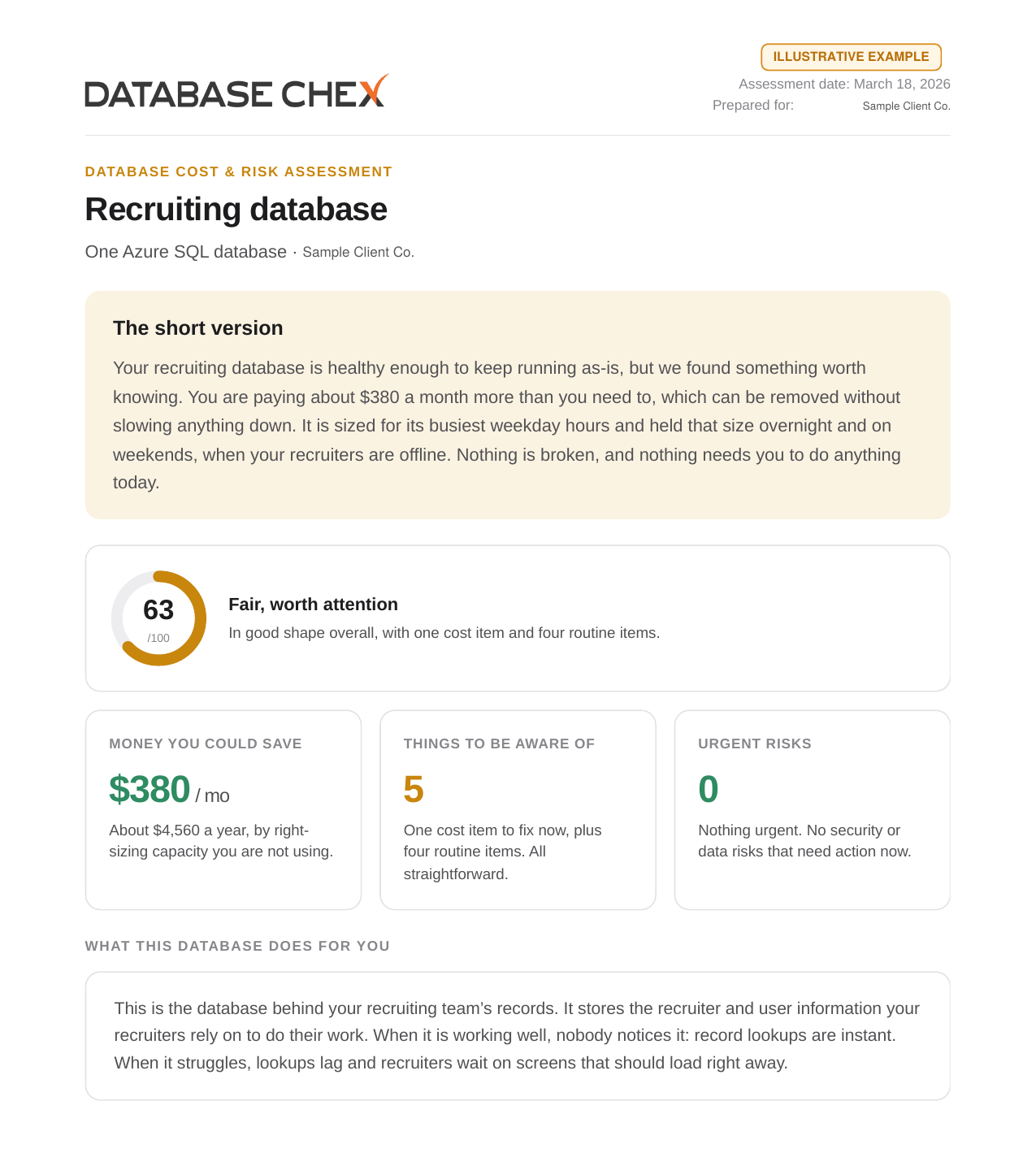

Sample Database Chex assessment report showing a Database Confidence Score of 63, $380 per month in removable overspend, five findings and zero urgent risks
Read the Case Study

Frequently asked questions

How long does the assessment take?

Five to seven days from the point read-only access is granted. Nothing is required from your team during that time.

What access is required?

We only need read-level access to your Azure SQL environment. No changes are made to your databases.

Is this only for Azure SQL?

Right now the assessment is focused on Azure SQL databases.

What happens after the assessment?

You'll get a clear baseline, a prioritized list of risks, and practical next steps you can act on right away.

Start My Assessment